AI Topic 12: Your AI assistant is here!

AI Topic 12: Your AI assistant is here!
In the last talk we talked about how GPT has a hit and miss in that it can’t accurately handle the more complicated math calculations. In fact, another well-known disadvantage of it is that as a language model, it has a deadline for its training corpus. For example, the corpus of GPT-4 is up to September 2021, which makes it have no new knowledge after that; and its corpus is limited after all, it doesn’t have all the knowledge, and sometimes it likes to make things up.
All of these problems can be solved by pulling in external information-which is exactly what OpenAI did.On March 23, OpenAI suddenly announced several major updates to ChatGPT:
One is an Internet-ready GPT, which solves the problem of accessing the latest knowledge and information in real time.
ChatGPT provides a virtual machine, which is equivalent to a secure environment, in which the GPT can compile and run programs, which makes programming more convenient.
One is the introduction of the ability to install third-party plug-ins.
These are currently in beta and only available to a small number of users. I applied as soon as I saw the news, and so far I’ve only gotten the plug-in feature.
ChatGPT already has 11 apps in their plugin store -
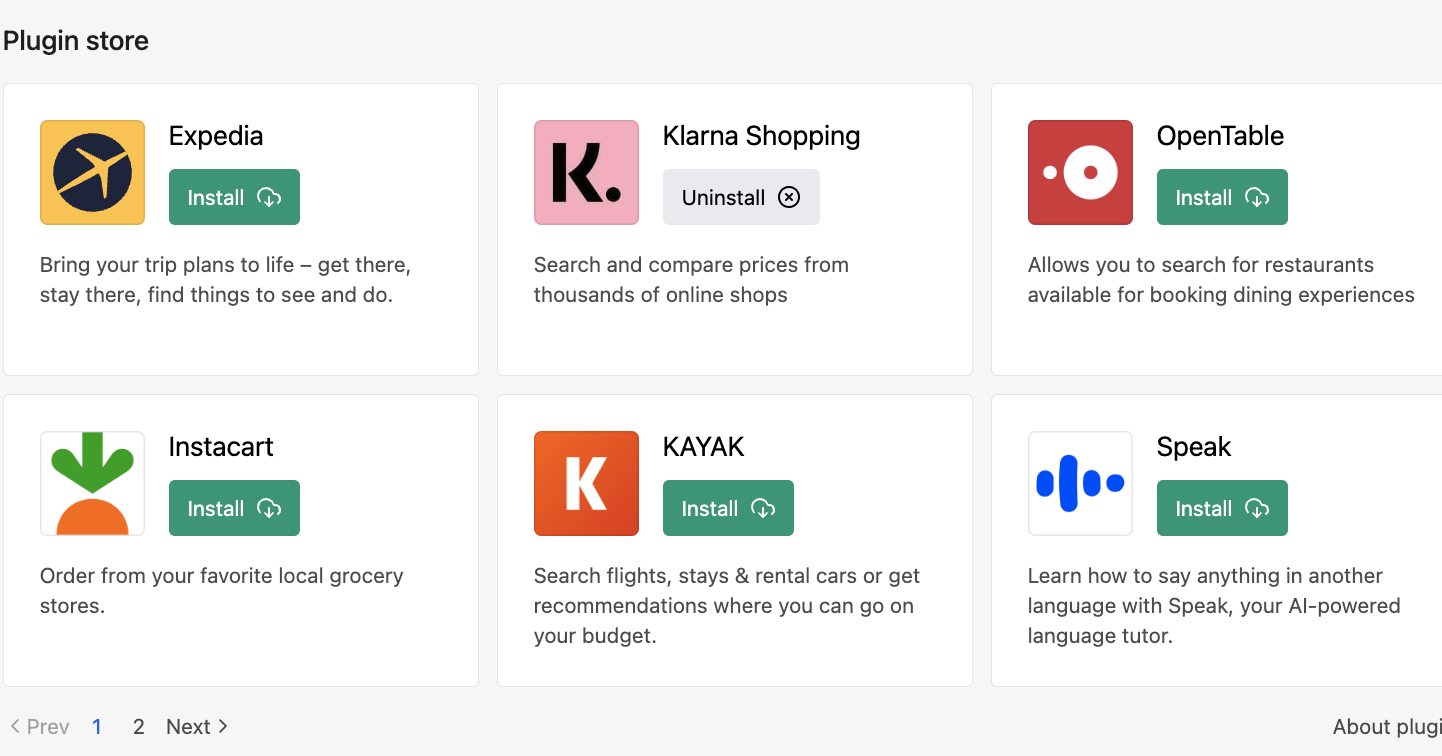
This includes Expedia for booking flights and hotels, several apps for shopping and ordering food, and one in particular that calls up apps from other sites called Zapier.
I’m most interested in the fact that it offers an app plugin for Wolfram - that’s Wolfram’s company that was mentioned in the last talk - because that solves the problem of GPT doing math. This is what Wolfram envisioned in his book, using ChatGPT in conjunction with the Wolfram language. But what Wolfram had in mind was to make a plugin for ChatGPT on his own site, which turned out to be something he turned into a plugin on ChatGPT ……
This plugin screw up is beyond many people’s expectations. I had also thought that using AI means that each company calls OpenAI’s API and introduces AI into their own products, just like Microsoft’s Bing: you still go to Bing’s website to search, except that you can use GPT on Bing’s website. now it seems that can only be considered as an “application solution” - a plugin that is installed directly on the ChatGPT with a plugin is the ‘system solution’.
The significance of this is that ChatGPT becomes a unified portal to various applications. Some people draw an analogy that ChatGPT is equivalent to an Apple cell phone, and plug-ins are equivalent to apps in the Apple App Store - it’s not quite accurate to say that, you have to open apps to work when you open your cell phone, while ChatGPT lets you just talk to it, and you can forget about plug-ins.
This update gives GPT three additional capabilities.
✵
*First, the AI has the ability to adjust force. *
As mentioned earlier in our column, Meta introduced an algorithm called Toolformer that allows language models to call external tools.OpenAI doesn’t seem to be using that approach directly; it’s approach is to translate your various needs into a language that external apps can understand, and thus mobilize those apps to do things for you.
In the past, if you wanted to do something, you had to think about which website to go to, which tool to use, and you had to know exactly how to use it. Now you don’t have to worry about that. You just tell GPT what you want to do, and it calls whatever tool it sees fit. You don’t need to get your hands dirty, and you probably don’t even need to know what tools it uses ……AI is your assistant.
And it’s the only assistant you need.
If you want to book an airplane ticket, tell ChatGPT the time and place, and it will check Expedia. if you want to order a meal, it will call OpenTable to help you select the restaurant and menu, and then call Wolfram to calculate the calories of the meal. If you want to send an email to someone, it will write the email for you first, and after you read it and say it’s OK, it will call Zapier, which will automatically access your email account and send the email for you.
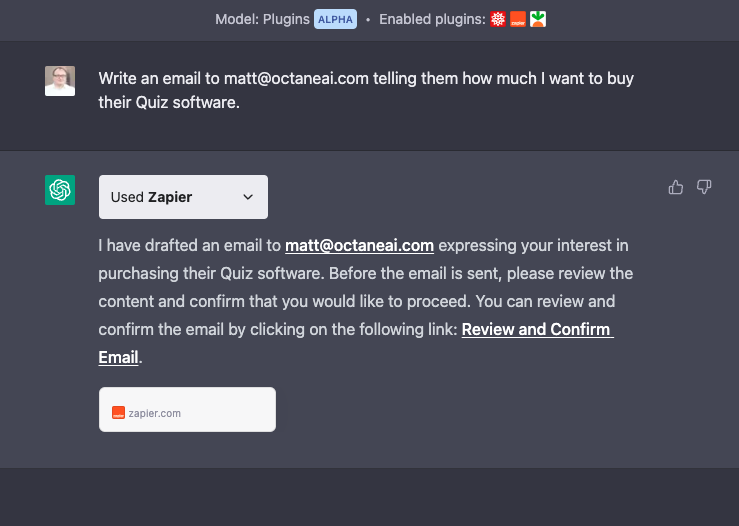
All you have to do is mention the requirement and confirm the permission, all the technical operations are done for you by AI leading a bunch of plugins.
✵
- Second, GPT can now browse the internet in real time. * I didn’t get an internal test of this feature, but I watched several people on Twitter demo it and thought the experience was better than Bing Chat. You may need to rethink the act of ‘surfing the internet’.
GPT was asked who the Best Actor, Best Sound, Best Picture and Best Supporting Actor were at this year’s Oscars, and it was asked to tie all four together in a poem.
You can see the GPT in action throughout. It first went and searched for information, selectively clicked on a few web pages like a human being, read them quickly, and then wrote a poem based on the information it had gathered.
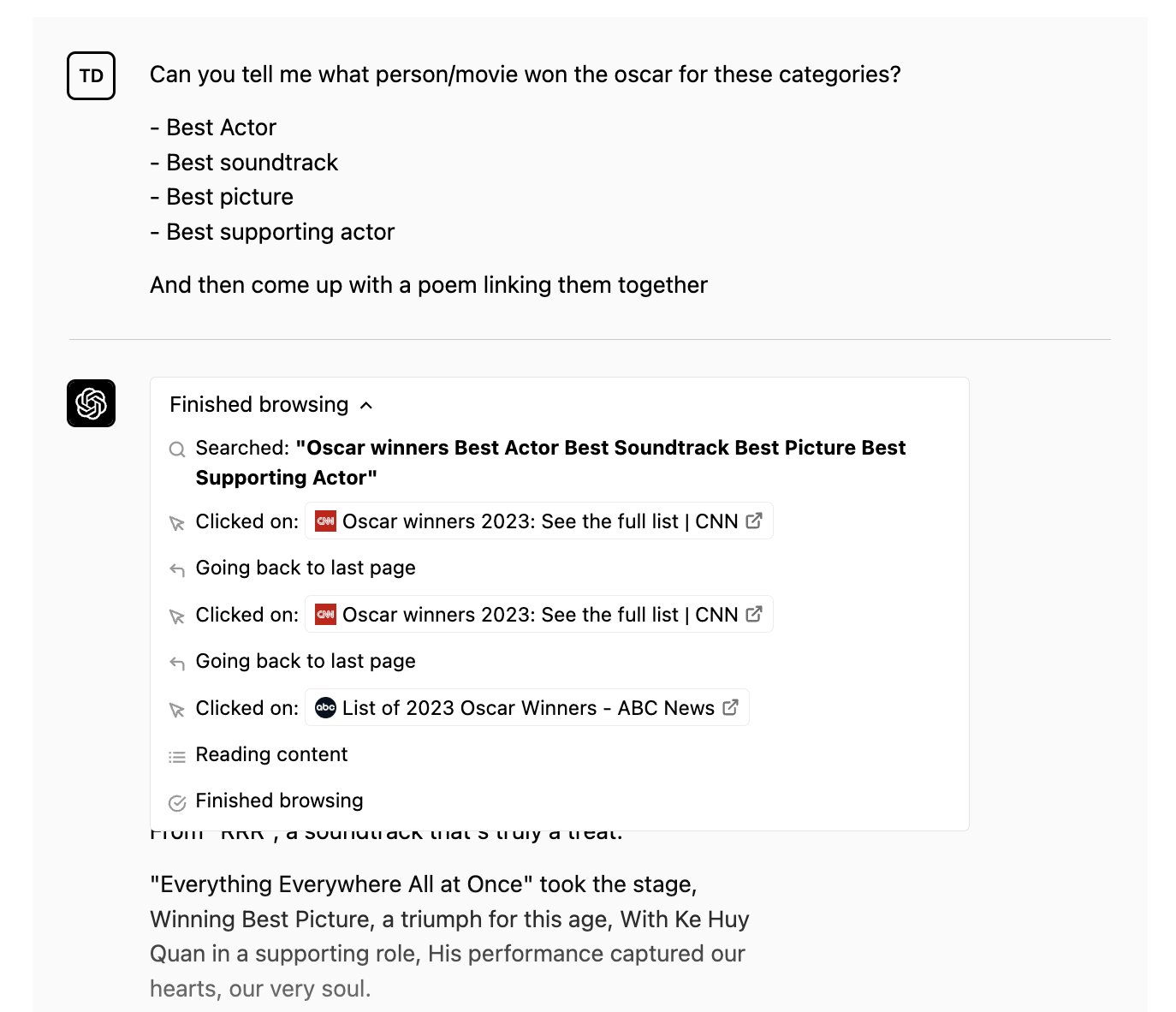
Think about what this means. When we supposedly search the Internet, actually browsing the web is not the goal - our goal is to do things with the information we get from the web! Now GPT provides a one-stop shop, browsing for you before doing things for you.
As another example, look at GPT’s ability to synthesize research. It was asked what Tesla’s revenues have been in each of the last four quarters.
GPT first searched for “Tesla’s revenues over the past four quarters” and probably didn’t find comprehensive information; it then searched specifically for revenues in the second and third quarters of 2022 …… After a few searches like this, it read the relevant web content and finally gives you four concise and clear figures -
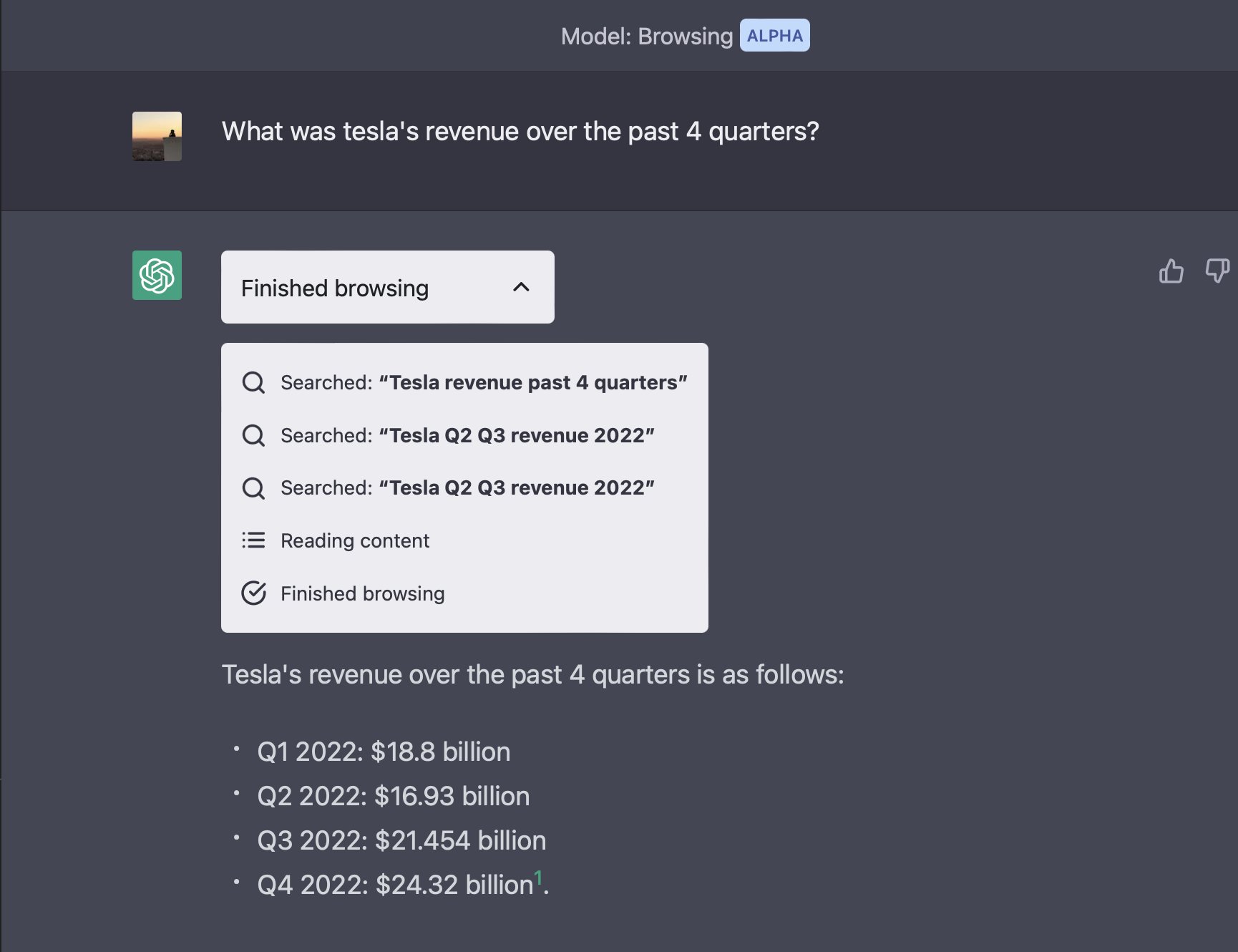
It’s the cleanest research to browse through the complexity, look again if you can’t find it once, and then generate information that is straight to the point.
Another person did this by asking GPT to browse OpenAI’s website as well as its blog to see what important news had been released today.GPT went, clicked on a few pages, read them, and returned with a three-paragraph summary of the news.
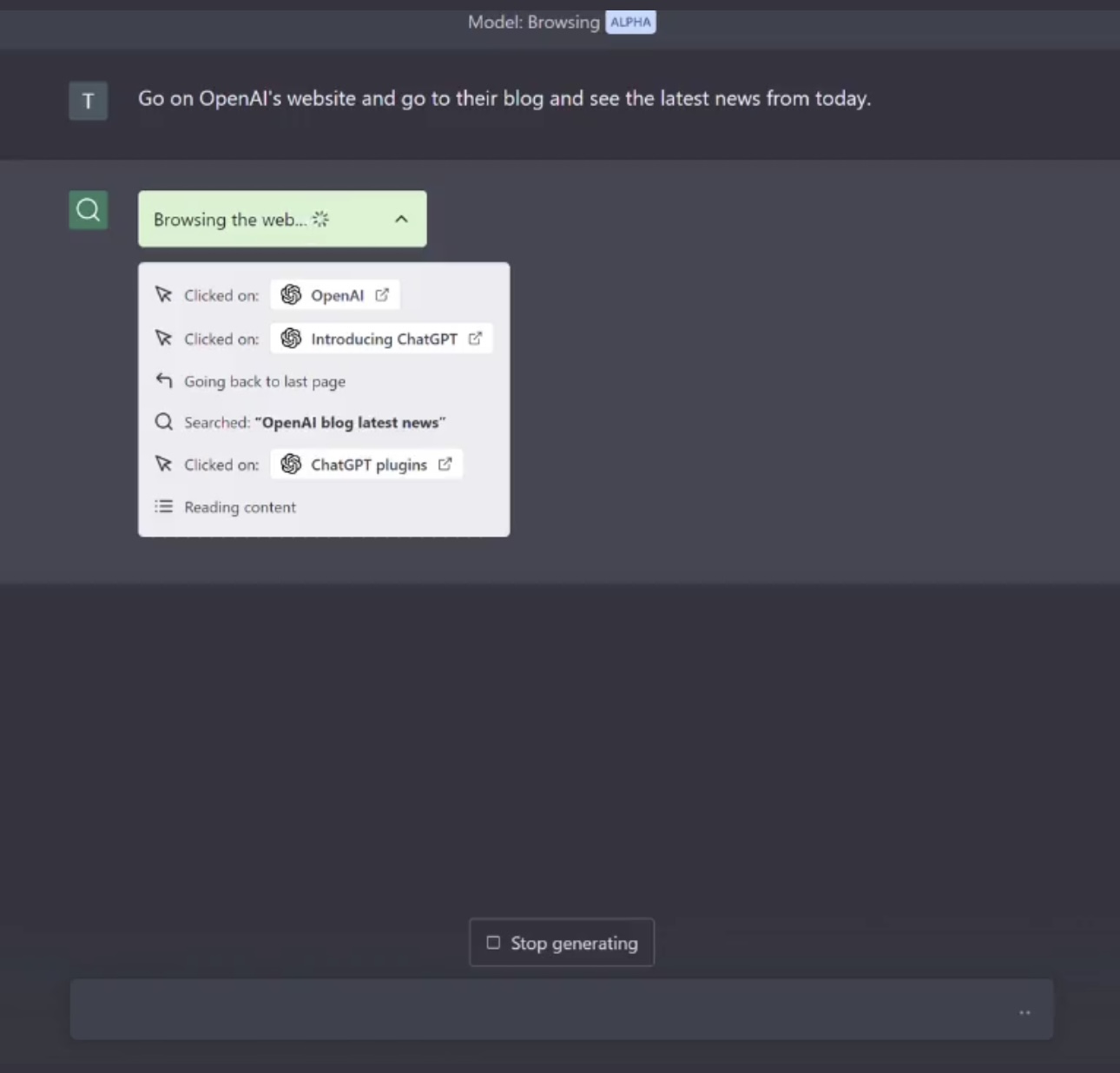
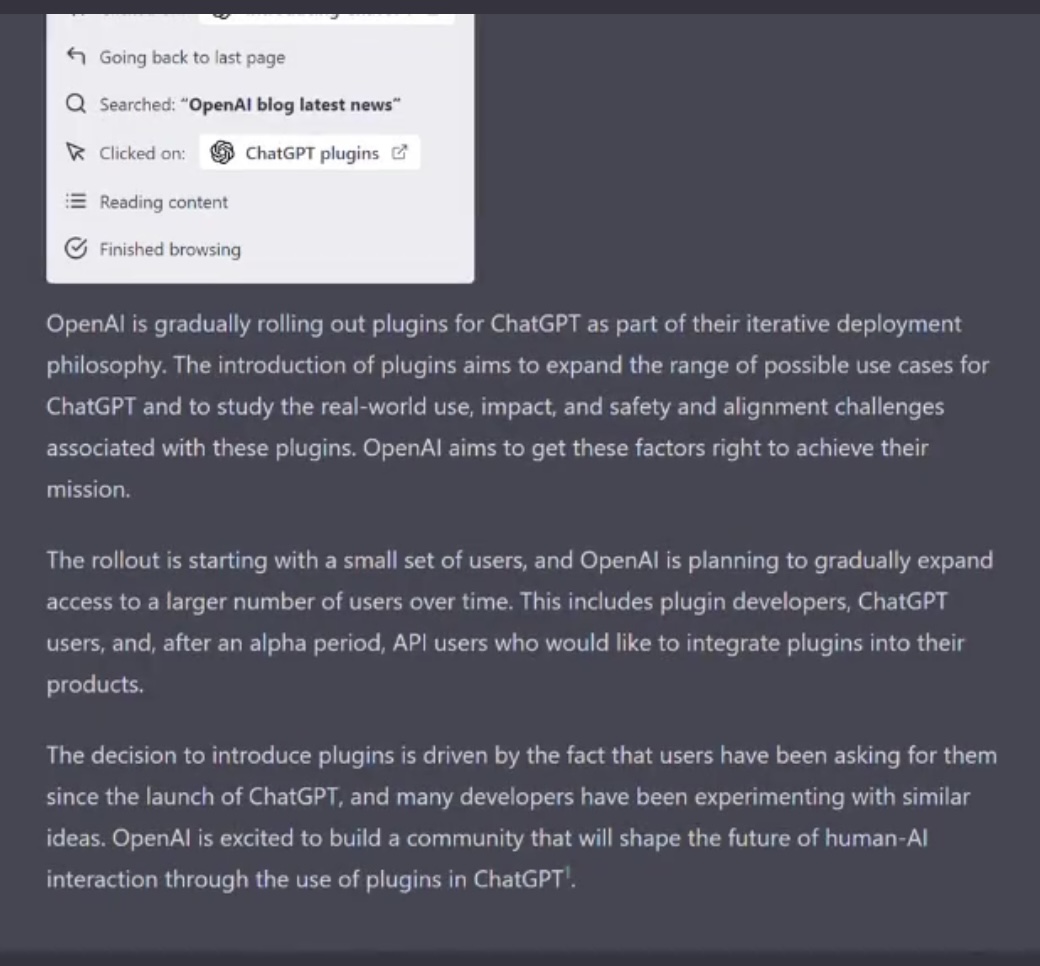
You see these examples, or you don’t have to get your hands dirty. You don’t have to read those pages yourself, you don’t even have to search and click - GPT searches whenever it feels the need to search, it does all the research for you, and in the end it returns you with the final results.
Search engines are just binoculars, GPT is the scout.
✵
**The third upgrade is that GPT finally has a “calculator” * …… Actually, I’m trying to show you what “natural language programming” means again through GPT’s call to the Wolfram plugin.
I gave GPT the math problem from the previous lecture, and it called Wolfram plugin without saying a word, and this time the answer was absolutely correct.
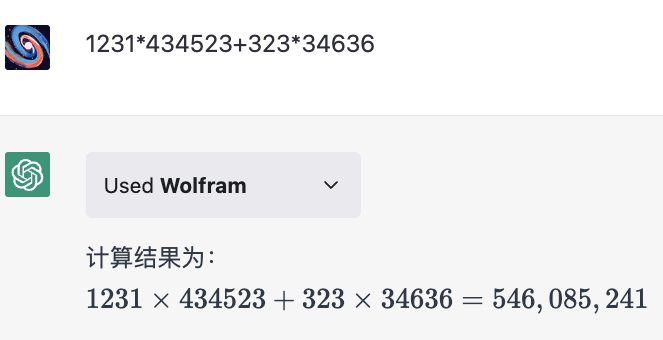
It can also solve equations, graph functions, and do integrals, including all sorts of more complicated math, those don’t need to be detailed.
One feature of the Wolfram website that has been trumpeted many times by Wolfram is that it has all sorts of accurate real-time data about the world today, and ChatGPT understands this very well.
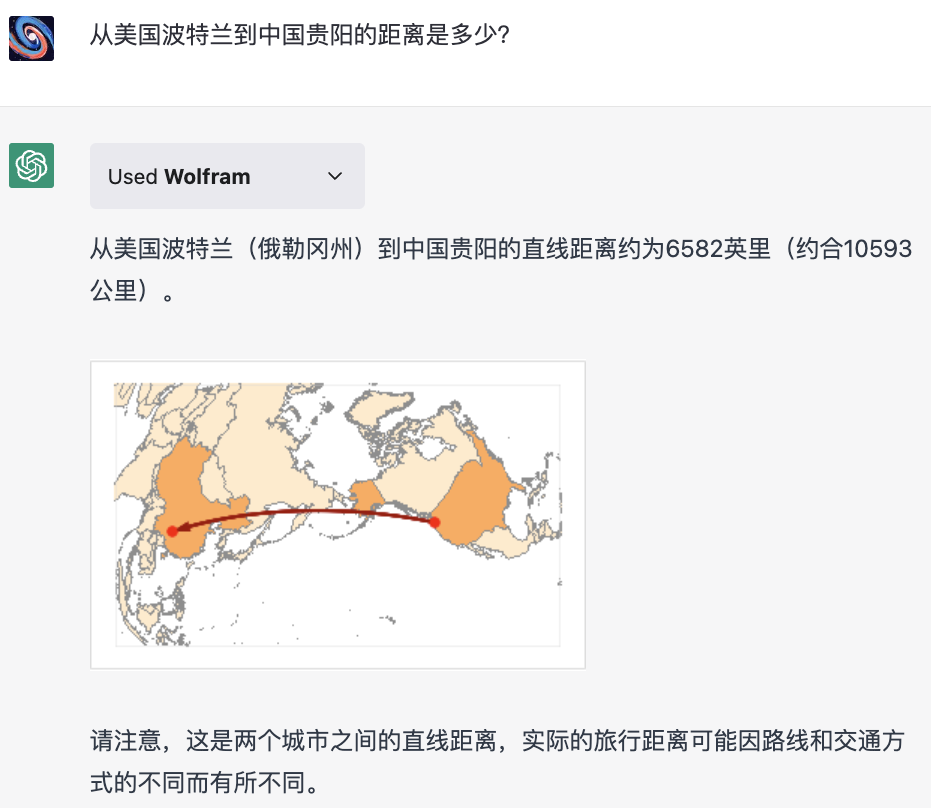
I started by asking the GPT-4 without the plug-in: what is the distance from Portland, USA to Guiyang, China? It answered 11,300 kilometers.

I asked the GPT with plugin the same question again, it called Wolfram directly and gave a more accurate distance of 10,593 kilometers. I choose to believe the answer, people specialize in this.
✵
Let’s do something a little more advanced. For example, if I want to study the Chinese economy, can I use one sentence to let GPT make a graph showing China’s GDP growth rate every year since 2000?
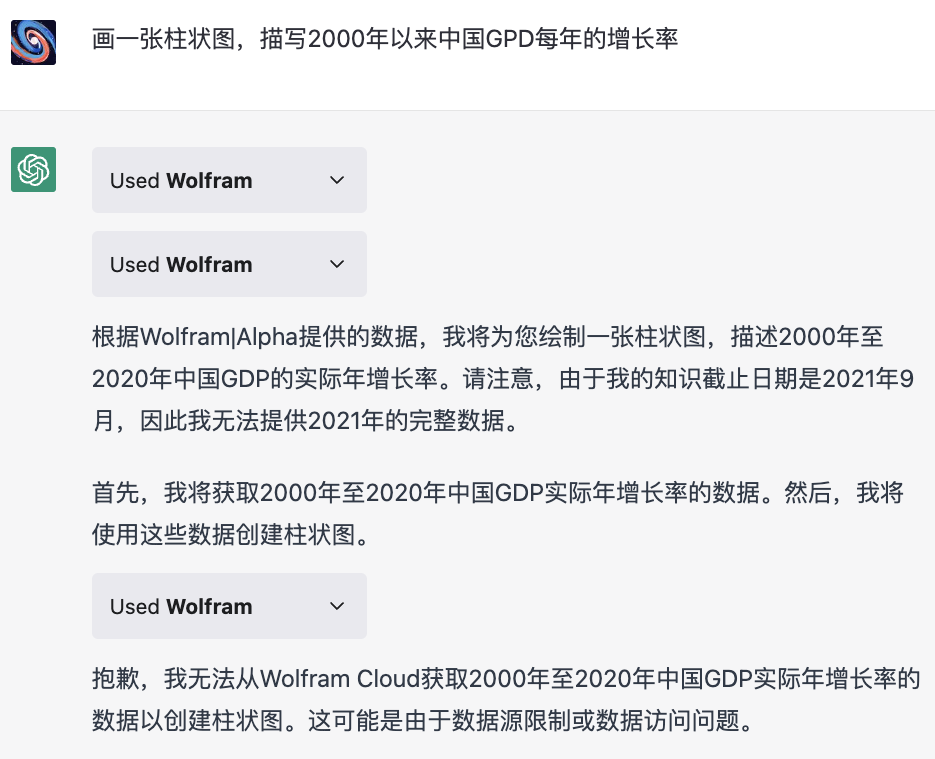
So I backed off and asked GPT to list the data with its own knowledge and then use Wolfram to draw the graphs, and this time it did -
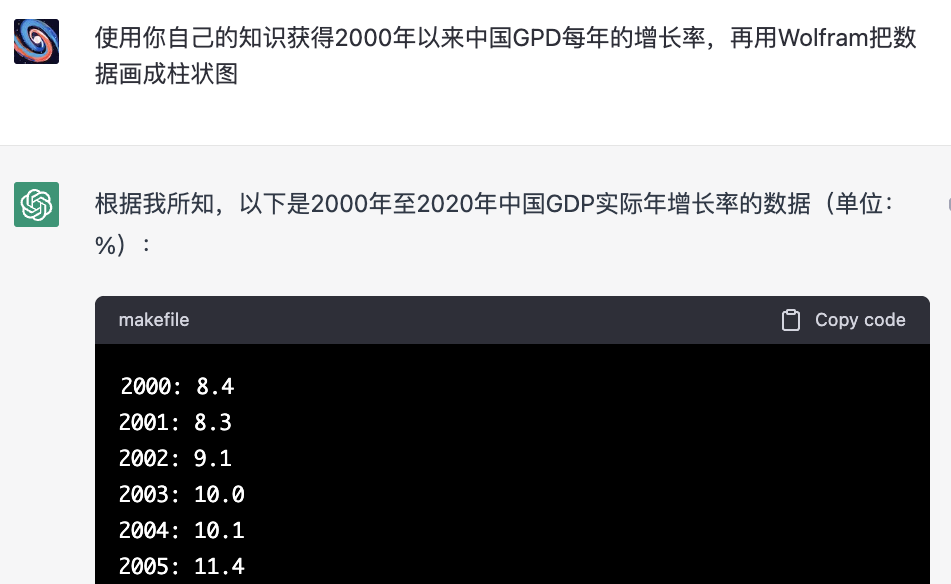
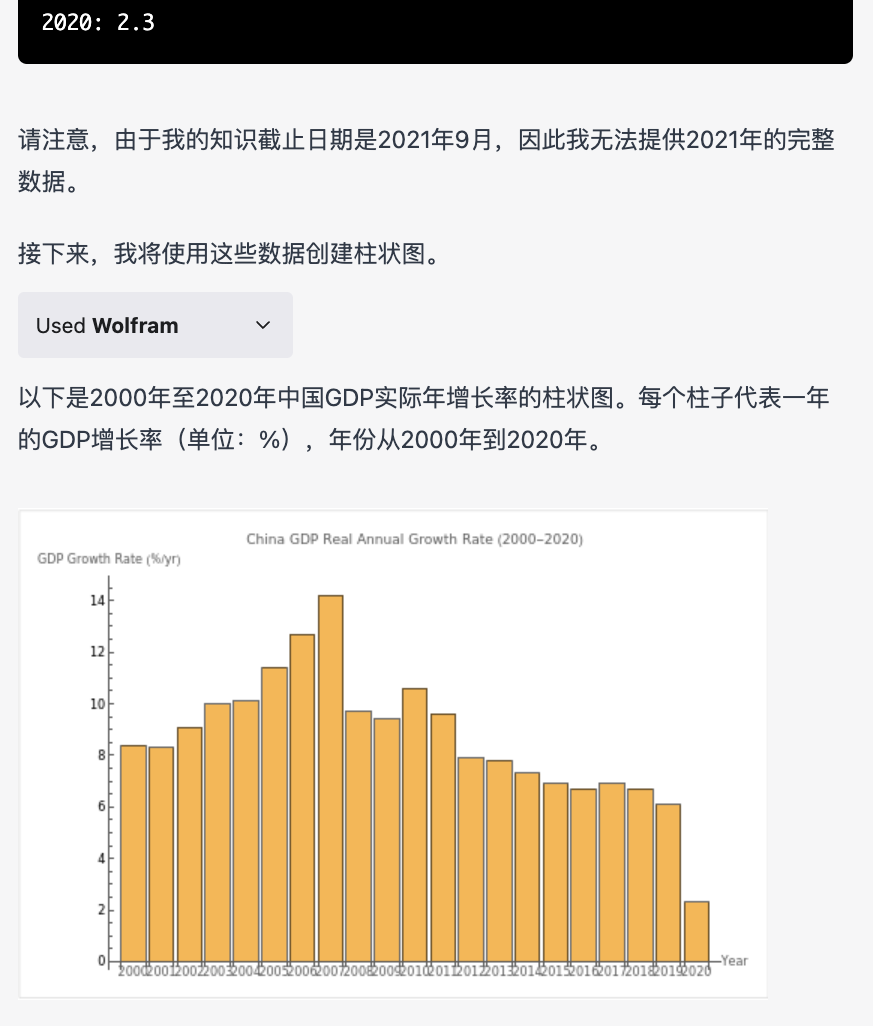
You see I neither searched for the data myself nor did any programming, I just spoke, and in Chinese at that. Imagine if GPT completely solved the problem with Wolfram and a variety of public databases, you want to see what data want to draw how the map is a matter of words, you can also feel free to put all kinds of data on a map for comparison, your thinking efficiency will be mentioned how much?
There is another interesting experience. In the last lecture, we used a collection of diagrams, this diagram is very simple but I have repeatedly modified to get.
I first asked the GPT to draw three circles, representing three sets, with two small circles in the big circle, and two small circles partially overlapping. It drew out-
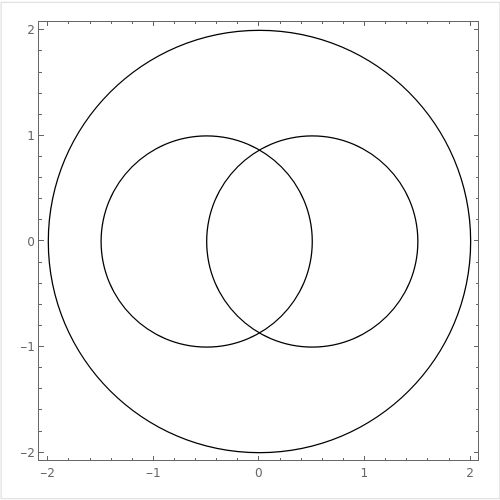
I immediately asked for a modification to remove the coordinates of the graph and to title the three circles, and it drew out like this-
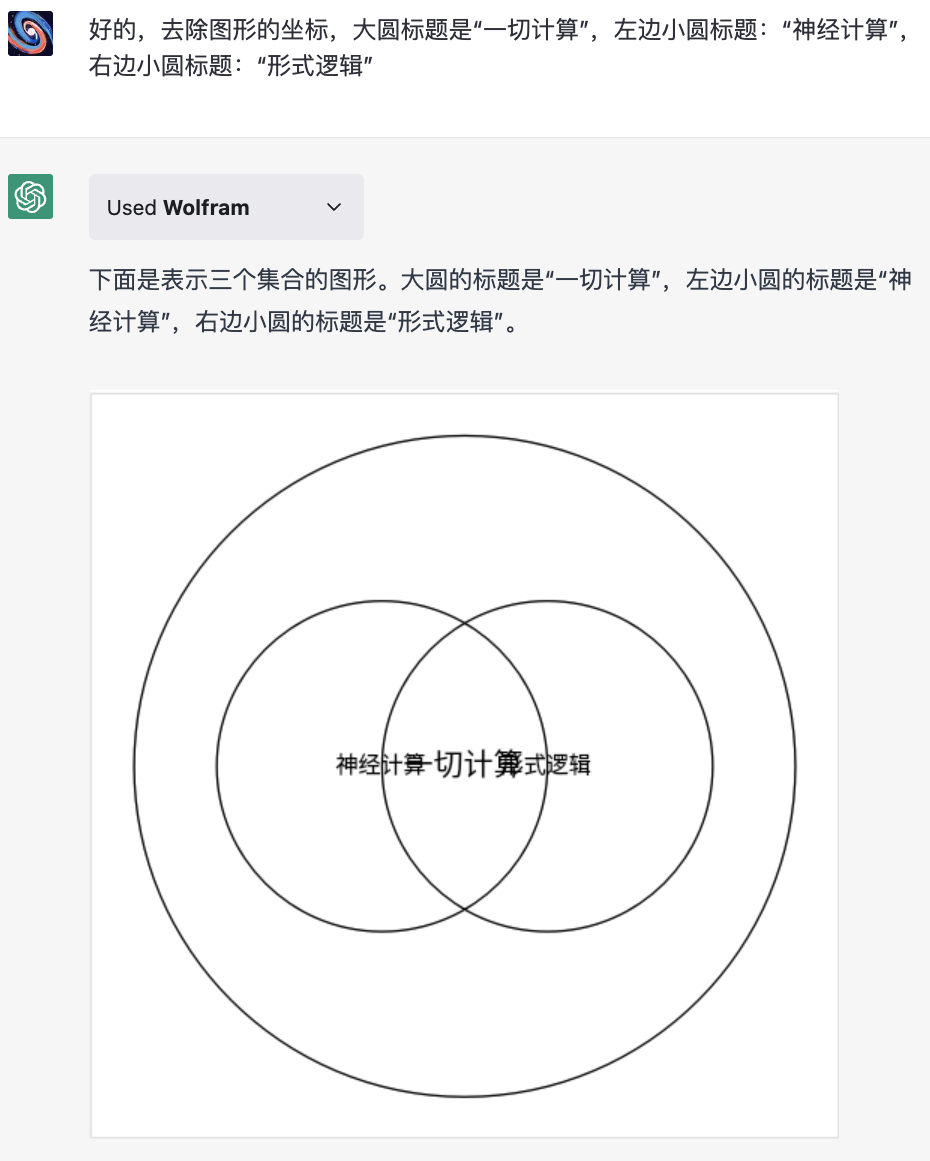
The captions were placed in the center of the circles and were unreadable. I asked it again to put the title on top of each circle, which it did.
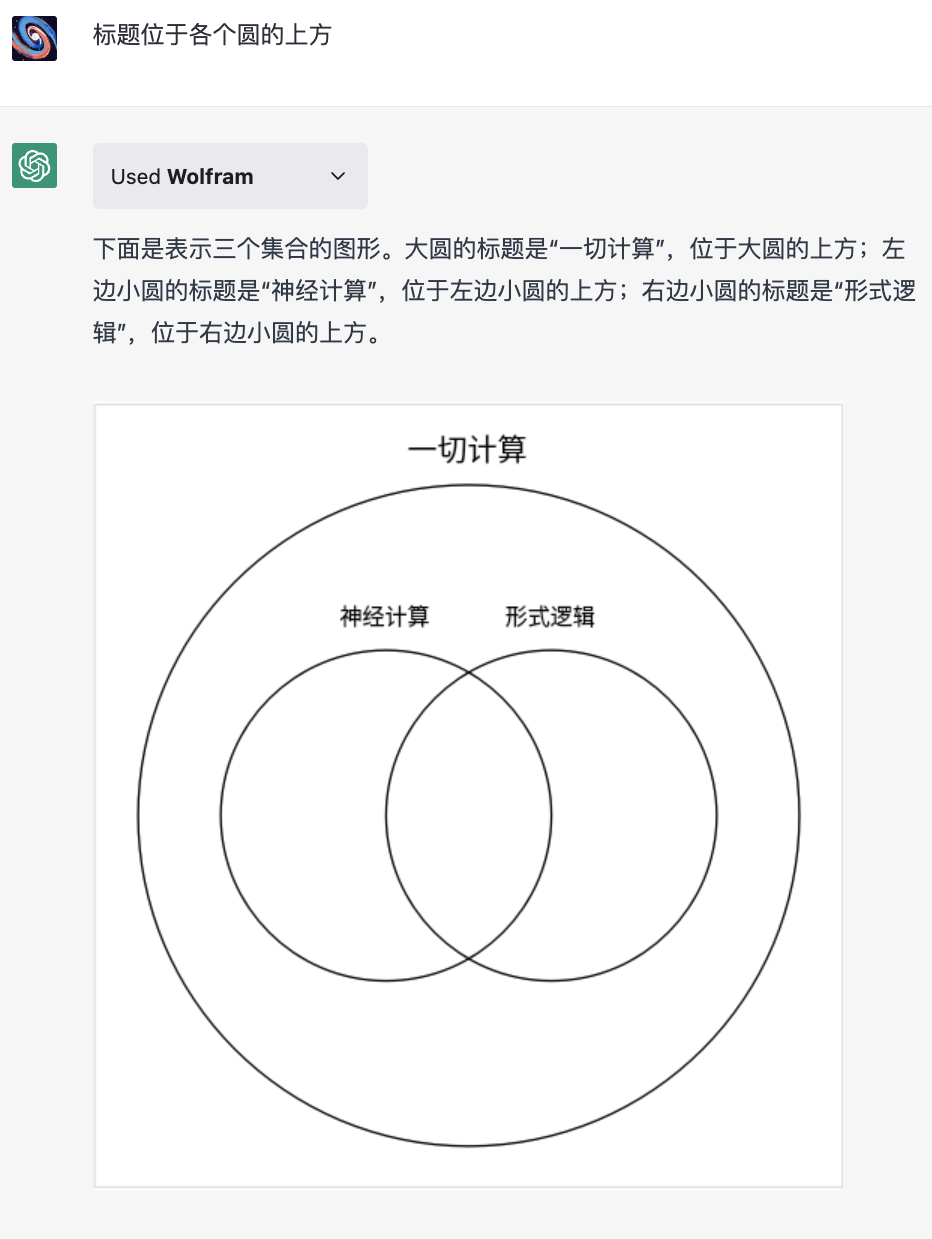
I then proceeded to change it, and again asked for the following-
Fill the three circles with blue, red and yellow color respectively
The boundary lines of the circles are all black and the above three colors are used for the interior of the circles
The colors are made transparent
The title font is slightly larger
It did it all, and generated the final image–
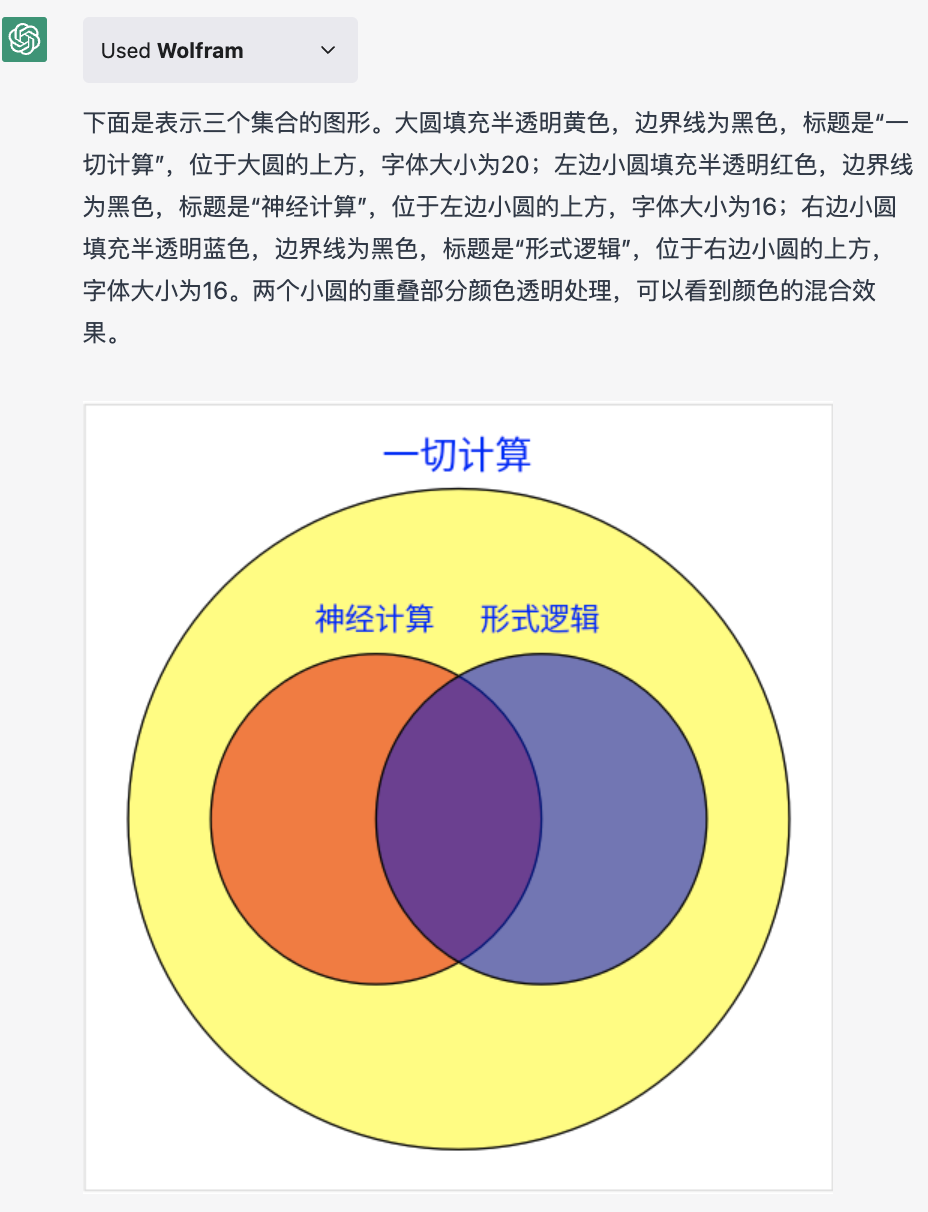
The interesting thing about this process is that at first I didn’t think about what the diagram should look like. I was looking at the results and revising the design as I had new ideas while interacting, and the GPT completely understood. In each case it translated my request in full into a mathematical language that Wolfram could understand, handed it to the plugin, returned the result - the
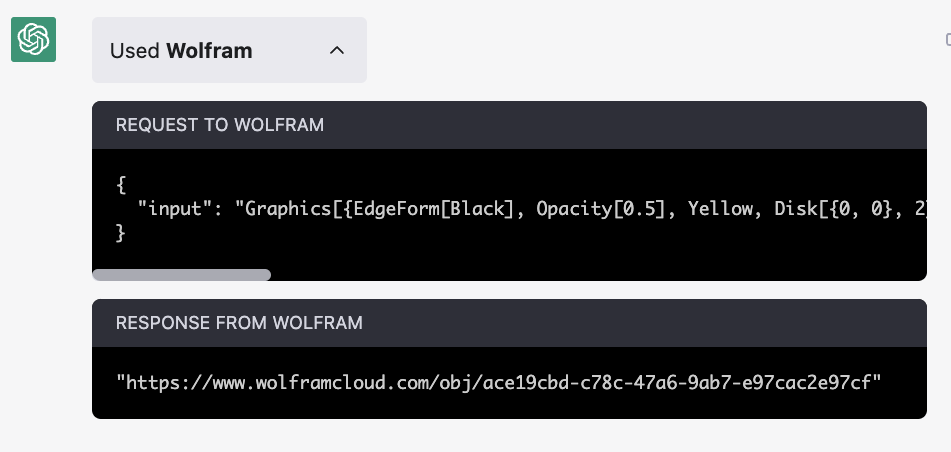
You can take a look at the instructions that Wolfram actually receives-
{
“input”: “Graphics[{EdgeForm[Black], Opacity[0.5], Yellow, Disk[{0, 0}, 2], Red, Disk[{-0.5, 0}, 1], Blue, Disk[{0.5, 0}, 1], Text[Style["Everything Calculated" , FontSize -> 20, Opacity[1]], {0, 2.2}], Text[Style["Neural Computing", FontSize -> 16, Opacity[1]], {-0.5, 1.2}], Text[Style["Formal Logic", FontSize -> 16, Opacity[1]], {0.5, 1.2}]}, Frame -> False, Axes -> False]”
}
In the past, to draw a diagram like this, I would have had to write these commands myself to get it to work. If I wasn’t familiar with the language I’d have to look up the manual or google it, but if it’s that much effort do you think I’d be able to be bothered to draw this diagram?
✵
ChatGPT is evolving into your AI assistant, and it’s liberating for us in two ways.
First it removes the barrier to doing things. In fact, when many people say they ‘can’t do’ something, they don’t really know how to do it, there’s just an interface barrier.
For example, if you were asked to live in Sweden, you might say I don’t know how to live in Sweden because I don’t understand Swedish at all, or even English - but as an adult, you could have lived or even worked anywhere, all you need is to break the language interface.
A grandmother wanted to buy a gift for her grandchildren that was only available online, and she said I won’t buy it - how can she say she won’t buy anything when she clearly knows what’s good and knows how to shop around? She just does not know how to access the Internet or make electronic payments.
- How many so-called won’ts in the world are actually interface problems? *
AI assistants return all interfaces to natural language. You just have to know the nature of things and then be able to talk. It takes care of translating your meaning into a language that the individual apps understand, you don’t have to see those apps, you don’t even have to know what those apps are …… The AI Assistant frees us from being behind the interface.
And an even bigger liberation for people who don’t normally have interface problems is efficiency. There are a lot of things you know how to do, but you don’t want to do them when you think about how much trouble it is to do them. You have to go to the grocery store to buy something, you have to program to draw a diagram, you need to do research to write an article …… It’s not the big ideas that hold you back it’s these technical details. Now you can leave all the details to an AI assistant.
Recently, my family’s printer has been a little bad and I wanted to buy a new one. Since I had stocked up on a few ink cartridges before and didn’t want them to go to waste, I wanted a printer that would work with the same cartridges, and I also wanted it to be a newer model and to have AirPrint capability. I told Bing Chat these needs directly and it went on a search and found three printers for me. I also asked what the prices were for each, and it listed the appropriate price ranges.
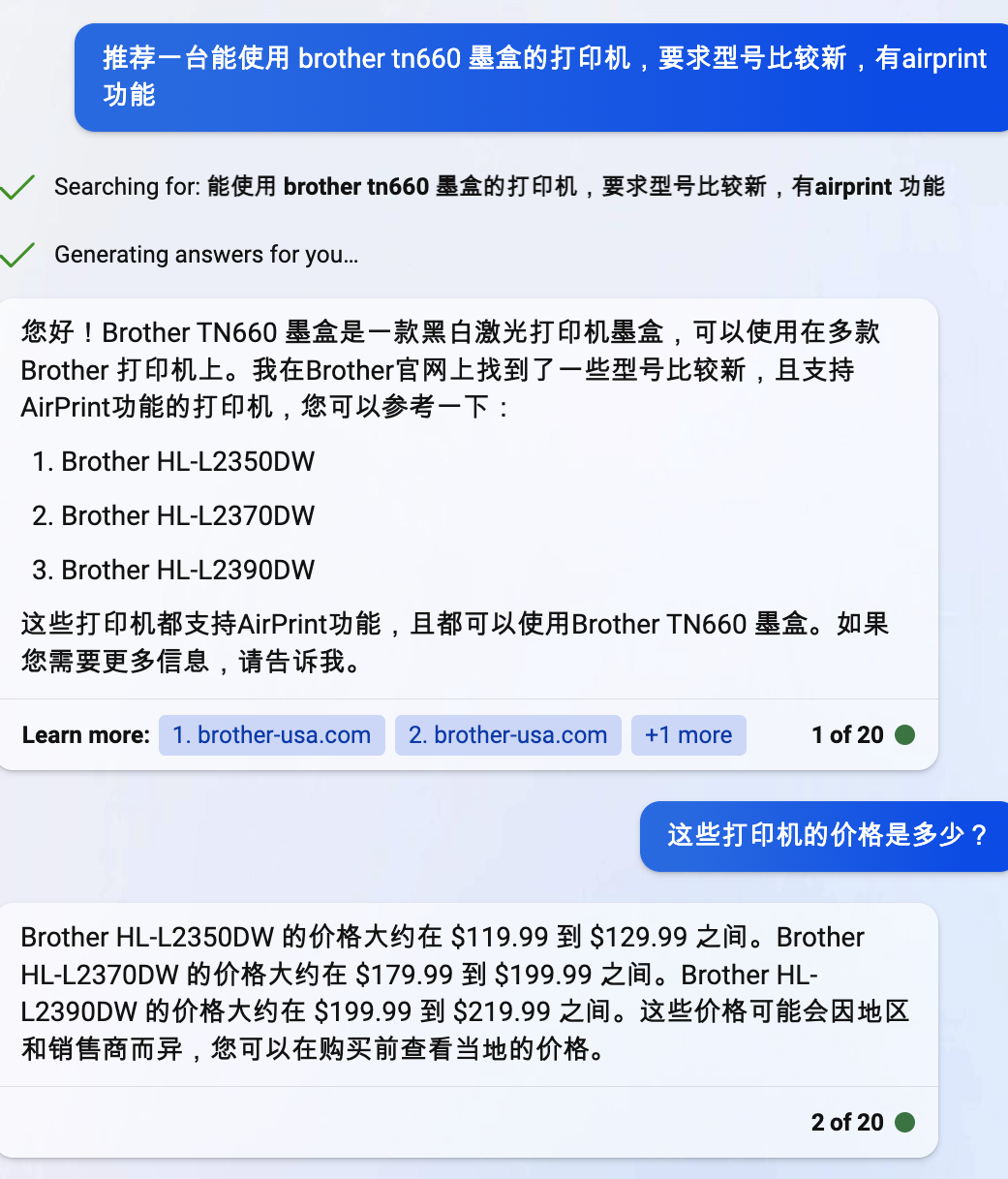
In all, it took less than a minute for me to make my selection. And it won’t be long before ChatGPT does something like this even better with a plugin.
AI allows us to do calculations that cannot be seen, or that need not be seen.
As you can see from this walkthrough, you just need to provide the intent; and the more clearly you articulate your intent, the better it gets done.
Highlight
GPT has upgraded capabilities in three areas.
First, AI has the ability to adjust force.
Second, GPT can now browse the Internet in real time.
Third, GPT finally has a “calculator”.